
WP Suggester – Increase Conversion & Leads on Your Website
Finally, this is it! Welcome, WP Suggester plugin!
This plugin I have been working on since December after I came back from NoHatDigital Retreat finally released, and you can get it here!
Alright, so what does it do and why you might need it?
What Does WP Suggester Plugin Do?
Contents
From the plugin name you might already guess what it does? It’s providing suggestion to the visitor to help choose the best product, offer, service and etc. based on quizzes. Then convert your visitor to a customer (sell a product or get affiliate commissions) or even better convert visitor to lead (you can get the email or/and phone number of the visitor).
How Does It Works?
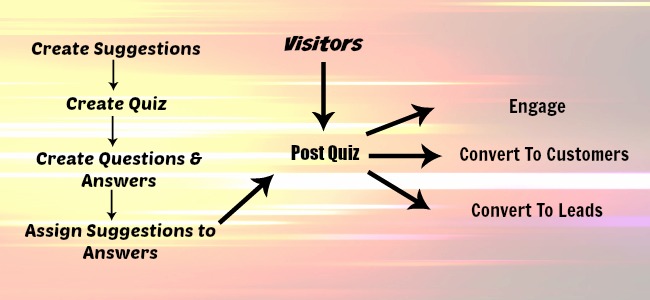
With the plugin, you will able to create quiz like this, add questions with answers and add suggestions (products, offers, services and etc.) based on answers.
For example, a visitor came to hosting provider website to sign up for the hosting (e.g. HostGator).
What does he see? Multiple products available like Shared Hosting, VPS, Dedicated Server. And each of this products have multiple plans.
Which one to choose? Dedicated server? Why if the user wants only to host his personal blog.
Shared Hosting? Ok. Then there are multiple plans? Let’s go with Baby plan? He doesn’t need to pay extra for unlimited domains! He can save money and go with Hatchling plan!
Convert Visitors To Customers
Alright! WP Suggester just helped to choose best product! The user then will be redirected to the product page and user more likely to buy a product because plugin just convinced him with the right purchased!

But it’s not all!
Convert Visitors To Leads
With WP Suggester, you can collect emails at the end of the quiz in order to send product URL with discounted price or coupon code.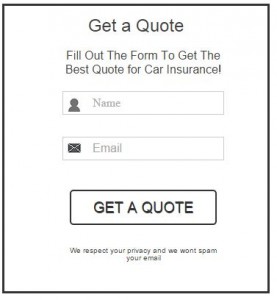
Or Just Increase Engagement and Social Sharing
You can create quizzes like:
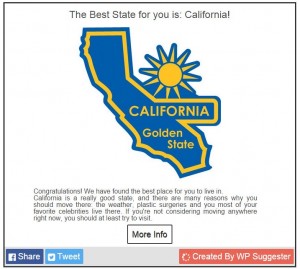
For sure you already saw similar quizzes go viral on Facebook, and you understand the power of this feature.
WP Suggester Features
Main Features:
- Increase Conversion
- Increase Leads
- Increase Engagement
- Increase Traffic
- Increase Social Sharing
- Decrease Bounce Rate
Display Methods:
- Add shortcode to the post or page
- Popup – You can setup to trigger popup with exit intend or timer.

- Within the page or post – You can display quiz whithin the page or the post between the text.
- Popup – You can setup to trigger popup with exit intend or timer.
- In the widget
- Automatically Popup – The same from above popup. But you can relaunch the quiz multiple times.
- On click Popup – Visitor can start quiz by clicking the button that will be visible in the widget.
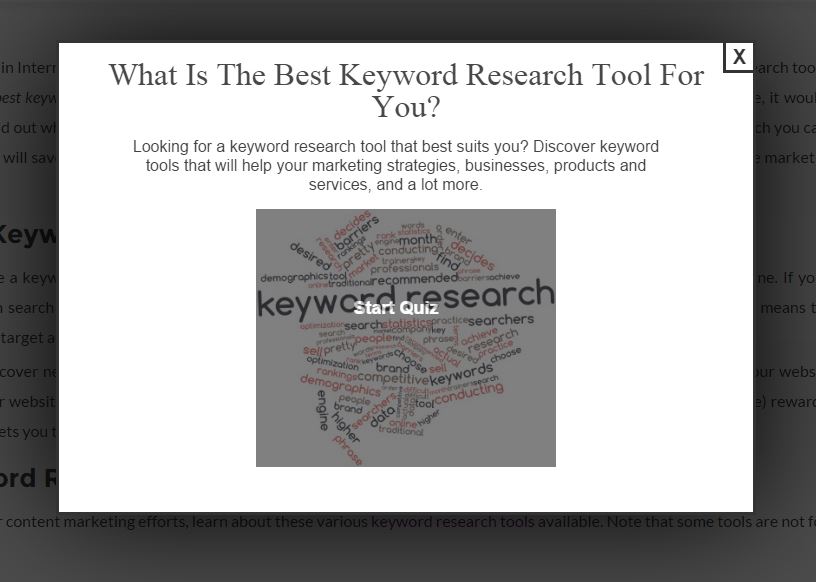
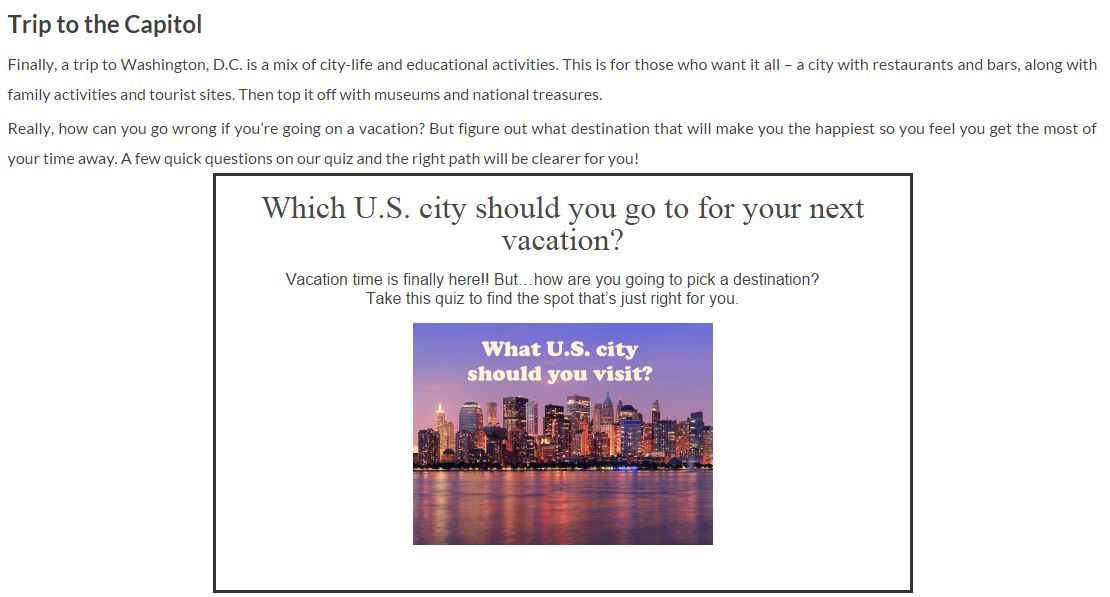
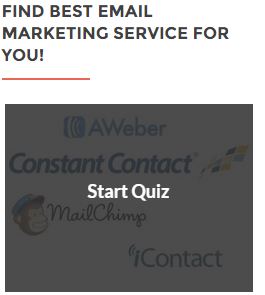
Support Email Marketing Service Providers:
- AWeber – One of the most popular email marketing services on internet.
- MailChimp – Most popular and free email marketing service. Which is suitable for beginners.
I will add more email providers depend on priority and people needs.
Social Sharing:
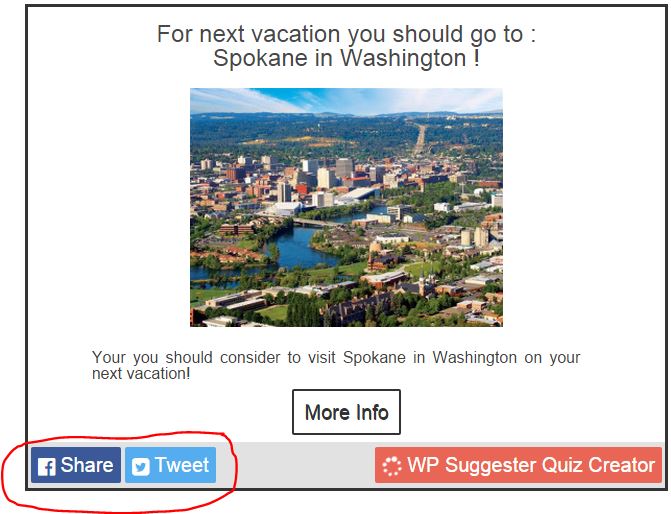
- Facebook – You can pre-define sharing text for Facebook and visitors will able to share the Quiz page. When a user clicks on Share button, then window below will show up.
- Twitter – You can pre-define sharing text for Twitter and visitors will able to share the Quiz page. When a user clicks on Tweet button then window below will show up.
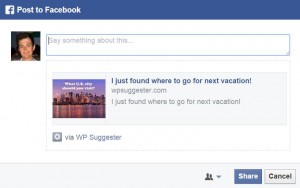
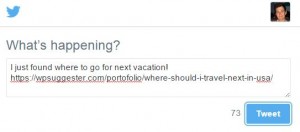
For now I decided just to have two social sharing options in the plugin, and I will add more by priority of course.
Admin Dashboard:
- Create Quizzes which leads to suggestion
- Add unlimited questions to each quiz
- Add up to 10 answers for each question
- Add suggestions and configure points to any answer
- Customize every single text, image in the quiz
- Setup popups – 13 different effects, exit intend, timer and so on
- Track quiz views, completions, link clicks, conversions
- Track Leads (optins) info: names, emails, phone numbers, suggestion email sent, email opened, the link clicked on the email and etc.
Demos
Are you waiting for demos? I already created some demos for you!
I divided demos into four categories:
- Increase Engagement Demos – For social sharing to make your quiz and blog go viral.
- Increase Conversion Demos – Convince visitor to buy your product, service or offer.
- Increase Leads Demos – Sing up visitors to get the suggestion, discount coupon link, and etc.
- Widget Demo – Simple widget demo to show how WP Suggester works in widgets.
Trying to decide what is best optin software for you? I created the quiz to help you with this: What Email Opt-In Plugin is The Best For Me?
Right now, I created 17 different demos, and you can see all of them on the plugin website. Just visit WP Suggester website to check all of them.
3 Different WP Suggester Versions
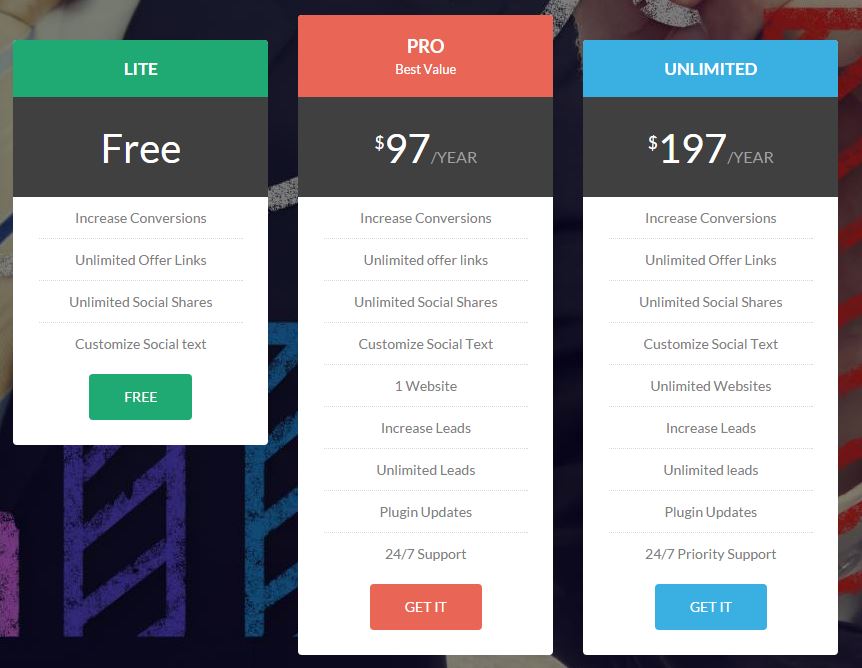 What about pricing? Can you get or try the free version?
Yes, I have free version!
WP Suggester Lite

You can download the free version and start using it on any of your websites!
With the free version, you can create quizzes for social engagement and increase conversions.
Note: Increase Conversions feature will be available temporary in the lite version of the plugin.
The price for Lite Version: Free!
Click here to get Lite version!
WP Suggester Pro

With Pro version, you will get all features and able to collect emails (leads) and install it on one of your website.
You also will receive automatic updates and customer support 24/7.
Regular price for Pro version is: $97 per year. Special price for grand opening I offer Pro version only for $67 per year. Here is the coupon to get 30% off: FIRSTUSERS.
Click here to get the Pro version!
WP Suggester Unlimited

The unlimited version will give you access to install WP Suggester Pro to any website.
And you will get priority customer support 24/7.
Regular price for Unlimited version is: $197 per year. Special price for grand opening I offer Unlimited version only for $137 per year. Here is the coupon to get 30% off: FIRSTUSERS.
Click here to get Unlimited version!
Why Am I charging yearly fees instead of one time fee?
- Support – There are tons of different configurations of WordPress and each plugin, theme, and even WordPress version is changing every day. And to support all paid customers I will need to spend time or hire someone and support all paying customers.
- New Features – Ability to work on new features which customers interested in. For now I have the list of top features like: A/B testing, Customize styling, Add other email marketing service, Add more social sharing providers and so on.
Conclusion
I have been working for last 6 month on this project and really excited about it. I am sure it will succeed and I will continue posting results of WP Suggester journey!
What next for WP Suggester? I will support the plugin and develop new features. I also will work to setup affiliate campaign so any of you can get referral commissions from referring WP Suggester. If you have any request just contact me through this contact us page!
I am really interested to hear your feedback about the plugin, check out demos and please leave the comment below!







I just want to mention I’m very new to blogs and seriously savored this website. Probably I’m planning to bookmark your site . You certainly have awesome article content. With thanks for sharing with us your web site.
I must convey my passion for your generosity supporting folks who require help with this particular theme. Your special commitment to getting the message all around appeared to be amazingly helpful and have regularly made guys much like me to realize their pursuits. Your amazing valuable recommendations means a great deal a person like me and a whole lot more to my office workers. Thank you; from each one of us.
Greate pieces. Keep posting such kind of information on your blog.
Im really impressed by your blog.
Hello there, You have done a fantastic job. I’ll definitely digg it and personally suggest to my friends.
I’m sure they will be benefited from this site.
Hello there, I discovered your blog via Google while looking for a related matter, your site got here up, it looks good. I’ve bookmarked it in my google bookmarks.
MetroClick specializes in building completely interactive products like Photo Booth for rental or sale, Touch Screen Kiosks and Digital Signage, and experiences. With our own hardware production facility and in-house software development teams, we are able to achieve the highest level of customization and versatility for Photo Booths, Touch Screen Kiosks and Digital Signage. MetroClick, 121 Varick St, #301, New York, NY 10013, +1 646-843-0888
Hello, i think that i saw you visited my web site so i came to “return the favor”.I’m trying to find things to improve my website!I suppose its ok to use some of your ideas!!
you’re in reality a good webmaster. The web site loading velocity is amazing. It kind of feels that you are doing any unique trick. Furthermore, The contents are masterwork. you have done a excellent task in this topic!
Thank you a lot for giving everyone an extraordinarily breathtaking possiblity to read in detail from this website. It can be so awesome plus jam-packed with fun for me personally and my office co-workers to visit your web site at a minimum 3 times in one week to study the fresh guides you have. And of course, I am also at all times pleased with all the perfect knowledge you serve. Selected 4 ideas in this posting are indeed the simplest we have ever had.
It’s practically extremely difficult to find well-informed users on this content, however you appear like you realize the things that you’re preaching about! With Thanks
BLOGURL really answered our drawback, thank you! NAME
I must say you have very interesting articles here.
Your content can go viral. You need initial boost only. How to get massive traffic?
Search for: Murgrabia’s tools go viral
Exceedingly alluring data that you have said, thanks a lot for setting up.
This website online is known as a stroll-by means of for all of the data you wished about this and didn抰 know who to ask. Glimpse right here, and you抣l positively uncover it.
I have learn several excellent stuff here. Definitely worth bookmarking for revisiting. I wonder how so much effort you put to make any such excellent informative site.
Hi there, just became aware of your blog through Google, and found that it is really informative. I am going to watch out for brussels. I will be grateful if you continue this in future. Lots of people will be benefited from your writing. Cheers!
763418 437060Basically wanna remark which you have a quite good internet internet site , I enjoy the layout it in fact stands out. 94830
Only a smiling visitor here to share the love (:, btw outstanding design .
It is usually the right day to produce some options for the long run. I have scan this document and if I have the ability to, I wish to encourage you a few entertaining recommendations.
Fairly compelling data you’ll have remarked, warm regards for putting up.
I just want to show you that I am new to posting and utterly adored your review. Very likely I am probably to remember your blog post . You seriously have fantastic article content. Be Grateful For it for sharing with us your website webpage
Howdy! This post could not be written much better! Looking through this post reminds me of my previous roommate! He continually kept preaching about this. I’ll send this information to him. Pretty sure he’s going to have a good read. Thanks for sharing!
Howdy just wanted to give you a quick heads up and let you know a few of the pictures aren’t loading correctly. I’m not sure why but I think its a linking issue. I’ve tried it in two different web browsers and both show the same outcome.
You have observed very interesting points! ps decent internet site.
Hi, I log on to your blog on a regular basis. Your humoristic style is witty, keep up the good work!
I just could not leave your website prior to suggesting that I actually enjoyed the standard info an individual provide to your visitors? Is gonna be again steadily to check out new posts
Definitely, what a fantastic blog and enlightening posts, I definitely will bookmark your site.Best Regards!
I am not sure where you are getting your information, but great topic. I needs to spend some time learning more or understanding more. Thanks for great information I was looking for this info for my mission.
Dead indited articles , appreciate it for entropy.
I simply needed to appreciate you yet again. I do not know the things I would have made to happen without the actual techniques revealed by you relating to such theme. It was actually a horrifying matter in my position, nevertheless encountering a professional mode you dealt with the issue made me to leap over gladness. Now i am grateful for this assistance as well as pray you know what a great job that you’re providing instructing many others through your blog. Probably you’ve never got to know all of us.
I’ve been surfing online more than three hours today, yet I never found any interesting article like yours. It is pretty worth enough for me. Personally, if all website owners and bloggers made good content as you did, the internet will be much more useful than ever before.
I merely desire to inform you you that I am new to putting up a blog and incredibly adored your page. Likely I am inclined to save your blog post . You seriously have amazing article material. Be Thankful For it for swapping with us all of your internet site document
I truly enjoy studying on this website , it has great posts . “For Brutus is an honourable man So are they all, all honourable men.” by William Shakespeare.
Very interesting topic, appreciate it for putting up.
Cursos masajes para toda la gente de todas las edades.
It is perfect time to make some plans for the future and it’s time to be happy. I’ve read this post and if I could I desire to suggest you some interesting things or tips. Perhaps you can write next articles referring to this article. I desire to read even more things about it!
I was very happy to seek out this net-site.I wished to thanks in your time for this glorious read!! I undoubtedly having fun with every little little bit of it and I have you bookmarked to check out new stuff you weblog post.
You have noted very interesting details! ps nice site.
I needed to compose you one little bit of observation so as to thank you very much yet again regarding the precious solutions you have contributed on this page. It’s really extremely open-handed with you to present unhampered all that many individuals would’ve made available for an ebook to generate some profit for their own end, most importantly since you might have done it in case you desired. These secrets additionally worked to become a good way to know that other people have similar passion just as my own to grasp many more with reference to this matter. I believe there are millions of more pleasant moments in the future for those who browse through your website.
MichaelJemery.com is a site with many hypnosis downloads. Whether you are looking for free hypnosis downloads, self hypnosis download for mp3, video and any audio files, Michael Jemery has the downloads for you. You can download hypnosis from apps, audio, mp3 and even youtube !
Its like you read my mind! You appear to know a lot about this, like you wrote the book in it or something. I think that you can do with a few pics to drive the message home a little bit, but other than that, this is excellent blog. A great read. I’ll definitely be back.